|

| |
Cal Station Instrument Database Features
|
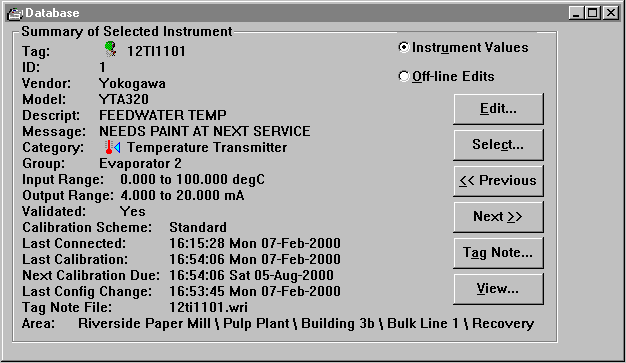
Click here for a Database window screen picture
|
Database Management Functions
 | Select instruments by tag, ID, or from a list based upon
your search criteria - Type, Vendor, Model, Group, Description, etc. |
| Add, Edit, Delete instruments |
| Copy specifications of an existing instrument into a new
instrument |
| Import instrument configuration data in standard .CSV
files |
| Export configuration and test/cal history data in standard
.CSV files |
| Database changes automatically generate history records with as found and
as left data values. You specify service reason and service notes for database edits. |
Calibration Schemes
Each instrument is assigned a named Cal Scheme that defines:
| Up to 21 test points
|
| Error tolerance
|
| Calibration interval
|
| Which of 5 error types will determine overall pass/fail result
|
Reporting Functions
| Individual or multiple instrument configuration reports
|
| Tabular Instrument database summary reports
|
| Make your own named summary reports by
choosing a report style, instrument selection criteria, and sort criteria
|
|